Creating a Marketing Agent
Last updated: September 29, 2026
A Marketing Agent is the assistant that talks to people on your website. Creating one takes a name and a short description: Docket writes the agent's opening prompt for you from that description, then hands you a full set of tabs to shape how it behaves.
This article covers creating the agent and what to do in the first few minutes afterwards.
What do you need before creating a Marketing Agent?
Two things, and both are short:
A clear job for the agent. One page, campaign, or audience it is responsible for.
Permission to create agents in your Docket workspace, which a workspace admin grants.
Room for another active agent. Each workspace has a limit on how many agents can be active at once, and Create Agent turns off while you are at it.
You do not need your knowledge sources or your website script ready yet. Those come later, and the agent stays private until you switch it on.
How do you create a Marketing Agent in Docket?
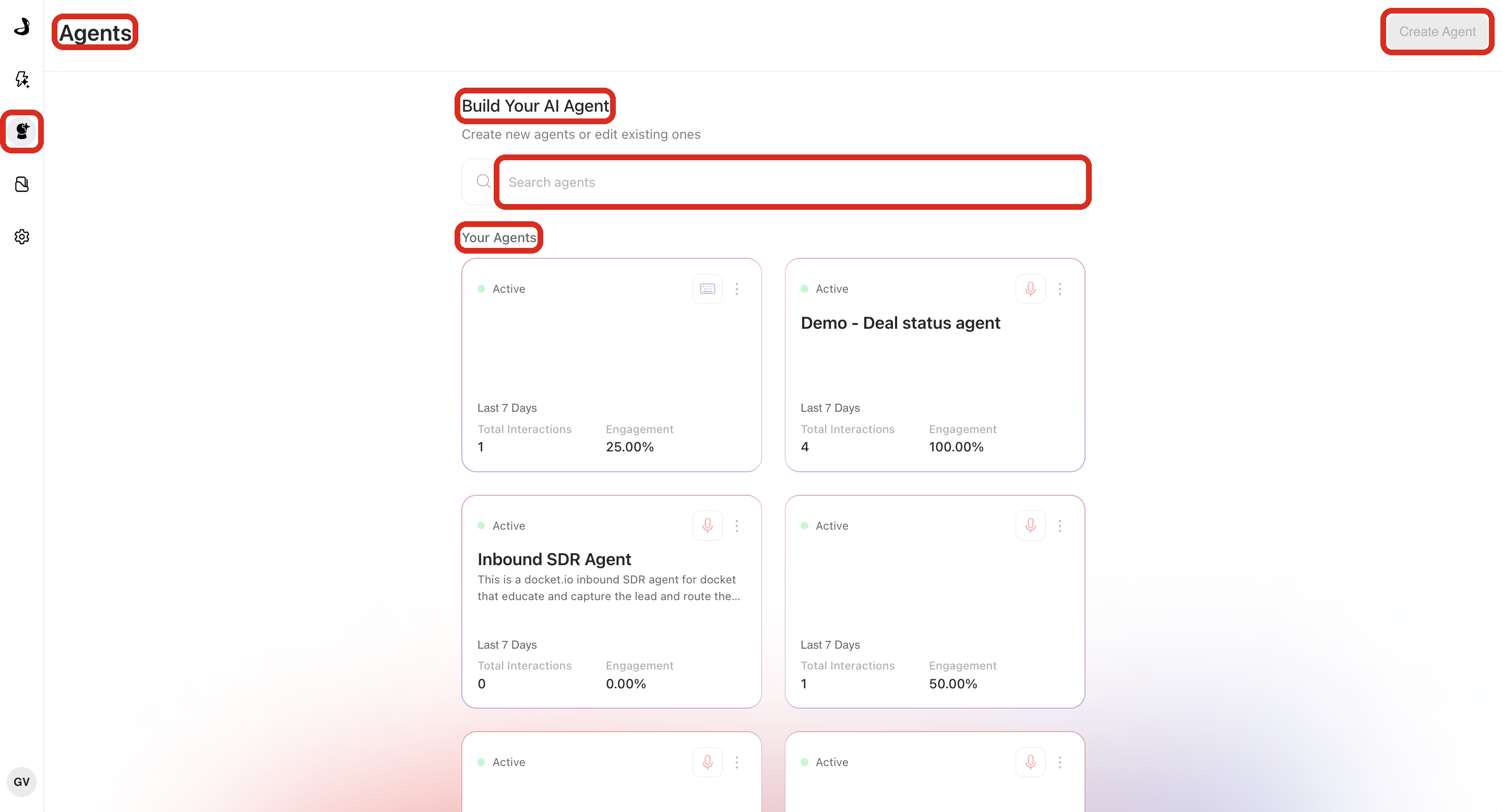
Sign in to Docket and open Marketing Agent Configuration from the left sidebar.
Confirm the page title is Agents and the header reads Build Your AI Agent.
Select Create Agent in the top right. Docket opens the Create Website Agent window.
Enter an Agent Name. This is required, holds up to 40 characters, and is what your team will see on the agent card, so name it after the job it does.
Add a Description of the business outcome the agent should handle. Docket reads this when it writes the agent's first prompt, so a specific description produces a better starting point than a vague one.
Select Continue.
Why does Docket take a few minutes after you select Continue?
Docket is writing your agent's first prompt, and that takes roughly one to three minutes. You will see a generating screen while it works, and it moves on by itself when the prompt is ready. Nothing has stalled, and you do not need to refresh the page or create the agent again.
During that time Docket combines the starting template, the description you wrote, and researched context about your company into a complete first prompt. Website Agent is the starting template currently available.
Which tabs will your new agent have?
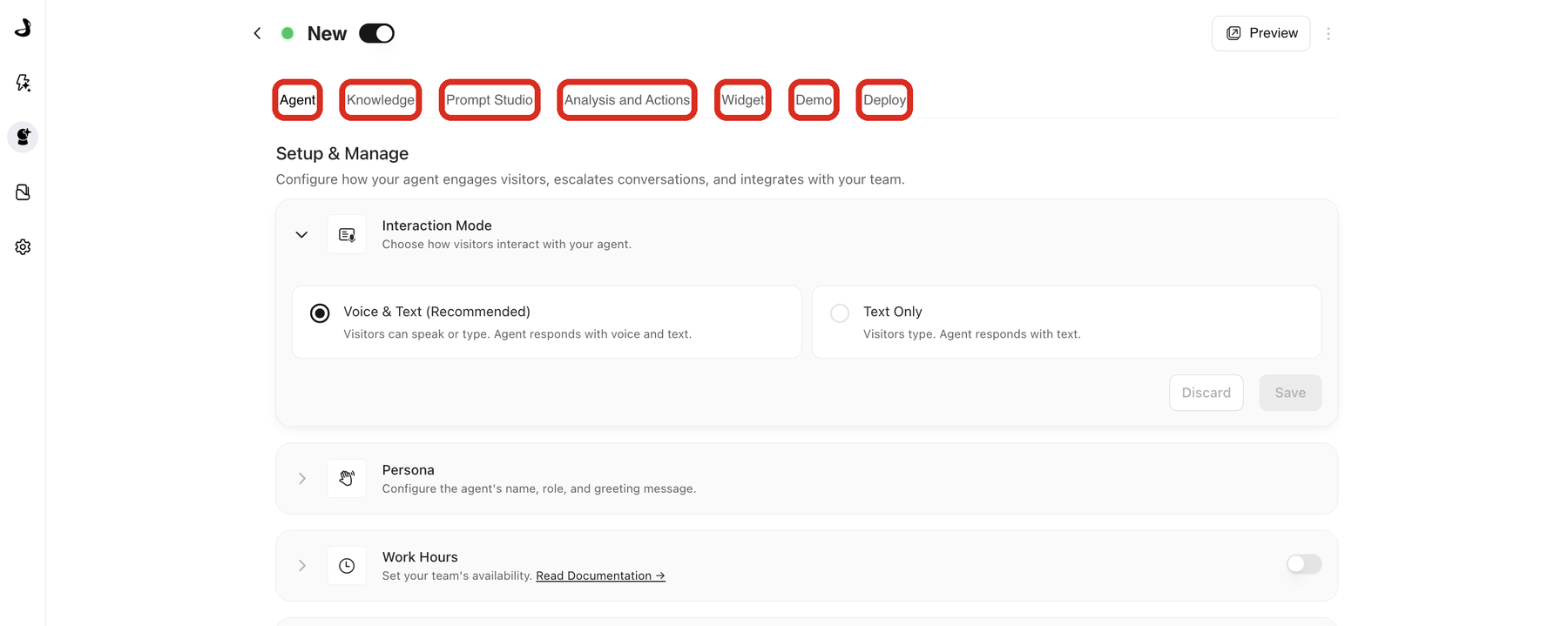
Agents created this way run on Docket's current agent version, so they open with these tabs:
Tab | Use it for |
|---|---|
Agent | Interaction mode, persona, work hours, handoff, calls to action, email validation, and dynamic context. |
Knowledge | The files, web content, slides, and videos this agent can draw on. |
Prompt Studio | Changing how the agent behaves by describing the change, then publishing a new prompt version. |
Analysis and Actions | Post-call analysis, actions, alerts, and CRM or marketing automation sync. |
Widget | Widget appearance, behaviour, allowed domains, and page-targeting rules. |
Demo | Giving visitors a live, guided walkthrough of your product inside the conversation. |
Deploy | The widget script, the standalone page URL, and IP access rules. |
Agents created before Docket's current version show a shorter set of tabs, with an Agent Instructions section on the Agent tab in place of Prompt Studio. Both keep working; only the place you edit the wording differs.
What order should you set up a new agent in?
Review the prompt Docket wrote in Prompt Studio, and describe any changes you want.
Select the sources the agent may use on the Knowledge tab.
Set the persona, work hours, handoff, and calls to action on the Agent tab.
Set up Analysis and Actions if you want structured follow-up data or CRM sync.
Style the widget and set page-targeting rules on the Widget tab.
Switch the agent on and test it with Preview.
Copy the script from the Deploy tab and add it to your pages.
Knowledge before wording is the useful habit here: an agent with the right sources needs far fewer prompt changes.
How do you know the new agent is set up correctly?
Open the agent from Your Agents and confirm you can move through every tab, that Prompt Studio shows a completed prompt rather than a generating state, and that Preview answers a few real questions the way you expect. See Previewing an Agent Before Launch.
Troubleshooting agent creation in Docket
Issue | What to check |
|---|---|
Create Agent is greyed out | Your workspace is at its limit of active agents. Switch off an agent you no longer need to free a slot, or contact support to raise the limit. If colleagues can use the button and you cannot, check that your Docket user has permission to create agents. |
Continue stays inactive | Agent Name is required. Enter a name and Continue becomes available. |
The generating screen has been showing for a while | Writing the first prompt usually takes one to three minutes. Give it the full window before retrying, and keep the tab open. |
The new agent does not appear on your website | A new agent starts as a draft with no script installed. Switch it on, then add its script from the Deploy tab. |
Frequently asked questions
How long does it take to create a Marketing Agent in Docket?
Entering the name and description takes a moment. Docket then writes the first prompt in roughly one to three minutes before the agent is ready to configure.
Why is the window called Create Website Agent when I want a Marketing Agent?
Website Agent is the name of the starting template Docket builds your agent from. You are in the right place; the agent it creates is the Marketing Agent you manage from the Agents page.
Is a new agent live as soon as I create it?
No. Every new agent starts as a Draft and reaches visitors only after you switch it on and add its script to your pages.
Can I change the agent name later?
Yes. The name identifies the agent for your team and can be updated as the agent's job changes.
Do I have to write the agent's prompt myself?
No. Docket writes the first version from your description, then you adjust it in Prompt Studio by describing what you want changed. See Editing Agent Behaviour with Prompt Studio.
Can I copy an agent I have already set up instead of starting over?
Yes. Use Clone agent from the three-dot menu on an agent card to copy an existing agent's configuration into a new draft.
How many agents can I create?
Most teams run several agents, one per page, campaign, or audience. Your workspace has a limit on how many can be Active at the same time, and draft and disabled agents do not count against it. See Configuring Docket's Multi-Agent Platform.
Why is the Create Agent button greyed out?
Your workspace has reached its limit of active agents. Switch off an agent you no longer need, which frees a slot straight away, or contact support at support@docketai.com to raise the limit for your workspace.
What should I write in the description?
Describe the outcome you want and the audience, for example qualifying pricing-page visitors and booking a demo. Docket uses this to write the first prompt, so specifics help.
Related articles
Have questions?
For any further assistance or troubleshooting, please reach out to our customer support team at support@docketai.com.