Dynamic Context Variable Reference
Last updated: September 29, 2026
A Dynamic Context variable has two parts: the key your website sends, and a description telling the agent what the value means and how to use it.
This page covers what those two parts should contain. For the setup itself, see Setting Up Dynamic Context Ingestion.
Where are Dynamic Context variables configured?
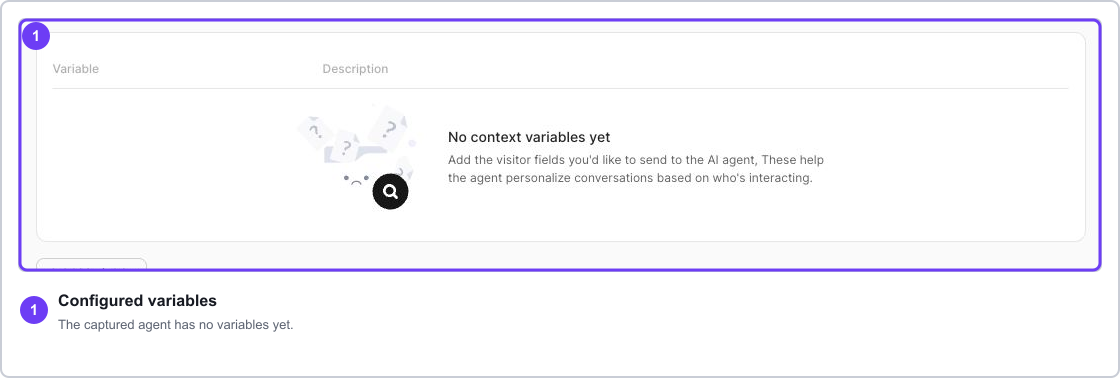
Open Marketing Agent Configuration, select your agent, open the Agent tab, then open Dynamic Context Ingestion. Each variable you add appears in the table there.
Field | What it is |
|---|---|
Variable | The exact key sent through |
Description | The instruction telling the agent what the value means and when to use it. |
What value types can you send?
Type | Example |
|---|---|
String |
|
Number |
|
Boolean |
|
Null |
|
Nested objects, arrays, files, functions, dates, and undefined are not accepted. Convert anything structured to a simple string before sending it.
Values sent through the URL always arrive as strings. ctx_employeeCount=500 becomes the string "500", and ctx_is_customer=true becomes the string "true", not a boolean.
How should you name a variable?
Match the name exactly between Docket and your website code. Capitalisation counts.
Use stable, plain names such as
name,company_name,plan, oris_customer.Avoid spaces and punctuation, which complicate both JavaScript and URLs.
Keep anything sensitive out of the name itself.
Before renaming one in production, update every page that sends it.
What makes a good description?
A description that says what the value is and how far the agent should go with it. "Company" tells the agent nothing it could not guess. The version below tells it when to use the value and when to leave it alone.
Variable | Description that works |
|---|---|
| The visitor's first name. Use it for a natural greeting, and do not repeat it unnecessarily. |
| The visitor's company. Use it to make examples relevant to their organisation. |
| The visitor's current plan. Use it only when answering plan-specific questions. |
| Whether the visitor is already a customer. When true, do not qualify them as a new prospect. |
| The visitor's operating region. Use it when regional availability or routing matters. |
How do JavaScript keys map to URL parameters?
The same variable can arrive either way. In JavaScript:
await window.AISeller.setContext({
  company_name: "Northstar Labs",
  plan: "Enterprise",
  is_customer: true
});
The URL equivalent adds the ctx_ prefix:
?ctx_company_name=Northstar%20Labs&ctx_plan=Enterprise&ctx_is_customer=trueDocket strips the prefix before matching the key, so ctx_company_name matches the variable company_name. See Passing Context via URL Parameters to Marketing Agents.
How do you confirm a variable is working?
Send a test value before starting a conversation.
Confirm
setContext()returnssuccess: true.Start a new conversation and ask something that should use the field.
Confirm the agent follows the description, and does not surface context it was not asked about.
Frequently asked questions
What happens if I send a key I never declared?
It is ignored. Only variables configured on the agent are used.
Does capitalisation matter?
Yes. companyName and company_name are different keys, and a mismatch is the most common reason a value seems to disappear.
Can two agents use the same variable names?
Yes, and it is usually a good idea. Variables are configured per agent, so keeping names consistent lets one snippet serve several agents.
How many variables can I add?
Add what the conversation genuinely needs. A short, well-described list gives better results than a long one, because each description is guidance the agent has to weigh.
Is a boolean from the URL treated as true or false?
Neither. URL values are strings, so ctx_is_customer=true arrives as "true". Write the description so the agent reads it correctly, or send booleans through setContext().
Should any of this contain personal or sensitive data?
No. Context passes through the visitor's browser. See Security Guidelines for Passing Visitor Context.