Contextual Suggested Prompts in Docket Agent Conversations
Last updated: October 25, 2026
Contextual Suggested Prompts are short follow-up questions the Docket Marketing Agent offers a visitor during a conversation, so the visitor can keep going without having to think up the next question.
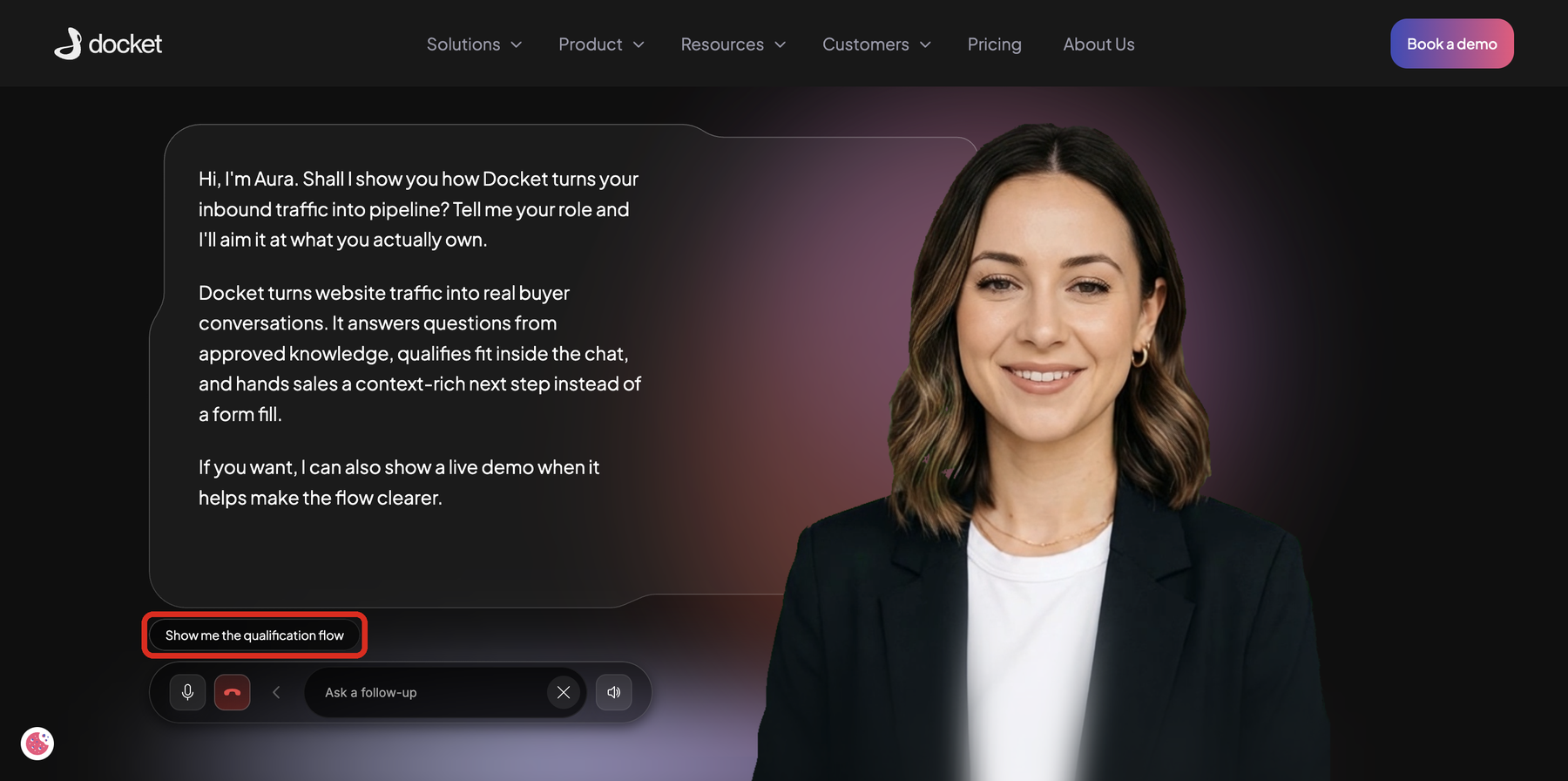
Up to two suggested prompts appear after the agent's greeting and after each of its replies. A visitor selects one instead of typing, and it is sent as their next message. Suggested prompts are on for every agent by default.
When do Contextual Suggested Prompts appear
Suggested prompts appear a few seconds after the agent's greeting, and again after each reply in a conversation. Each new set replaces the previous one, and the old prompts clear while the agent is responding.
A set can hold two prompts, one, or none. The agent shows none when there is no useful next question, for example right after it says it does not have the information, while it asks for an email address, or while the visitor waits for someone from your team.
What are suggested prompts based on
Each set is written for that point in the conversation. Docket marketing agent uses ongoing the conversation and the visitor context it already holds: profile and company information, the pages the visitor has browsed, summaries of earlier conversations, and earlier engagement. A returning visitor can see prompts that pick up where an earlier conversation stopped.
For instance, when the visitor says they run demand generation and asks how Docket decides which visitors are worth sending to sales. After the agent answers, the suggested prompt follows on from the answer:
What signals count as fit and intent?
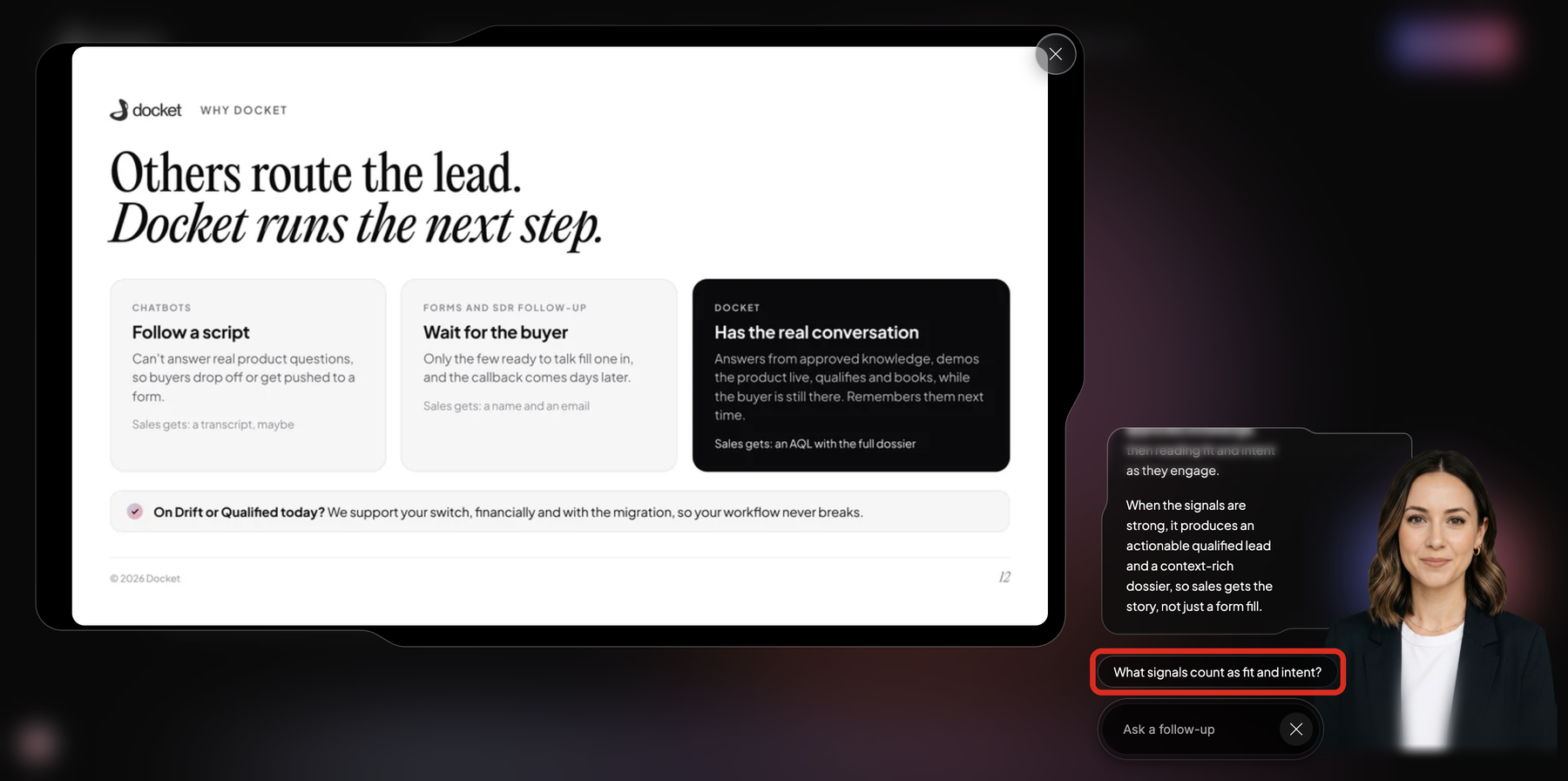
The agent's setup shapes them too. Prompts follow the agent's answers, so they reflect its knowledge, and they can point to actions the agent is set up to offer, such as booking a meeting or talking to your team.
What happens when a visitor selects a suggested prompt
The prompt's text is sent as the visitor's next message, exactly as shown. The other prompt clears, and the agent answers it like any typed question. The message is saved in the conversation transcript like any other visitor message.
A suggested prompt only sends a question. It does not book a meeting, capture an email address, or start a handoff by itself. When a prompt asks for a meeting or a person, the agent handles it the way it handles a typed request, using the meeting booking or handoff you have set up.
How do you shape Contextual Suggested Prompts?
You shape suggested prompts through what your agent knows and offers: its knowledge, Agent CTAs, meeting booking and handoff. Prompts follow the agent's answers, so improving any of these improves the prompts. Docket takes care of the wording and timing of each prompt for you.
How are Contextual Suggested Prompts different from Contextual Callouts and Agent CTAs?
All three put something a visitor can select in front of them, but they appear at different moments and do different things.
Contextual Suggested Prompts | Contextual Callouts | Agent CTAs | |
|---|---|---|---|
When they appear | In conversation, after the agent's greeting and each reply | On the page, before the visitor starts a conversation | When a CTA's instructions match the conversation, or as the default CTA |
What selecting one does | Sends the prompt's text as the visitor's next message | Opens the agent and sends a fuller version of the callout | Opens the destination you set, inside the widget or in a new tab |
Who writes the text | Docket, for each point in the conversation | Docket, for each page moment | You, in the Agent CTAs section of the Agent tab |
Frequently asked questions
Can I turn off Contextual Suggested Prompts for an agent?
Yes, through the Docket customer team. Suggested prompts are switched on or off for each agent on Docket's side, so contact the team with the agent name.
Can I write my own suggested prompts?
Not in Docket itself, because each prompt is generated for the point in the conversation. The Docket customer team can add a short list of fixed prompts to an agent. Fixed prompts take priority, so new visitors usually see them first, and they can appear again later alongside generated prompts.
Do suggested prompts work in voice conversations?
Yes. They appear whether the visitor is typing or speaking, with or without an avatar, and selecting one works the same way in each.
Can I see which suggested prompt a visitor selected?
Yes, in the conversation transcript. A selected prompt is saved there as the visitor's message.