Understanding the Knowledge Tab
Last updated: September 29, 2026
The Knowledge tab is where you decide what your Marketing Agent knows and what it can show. Everything the agent draws on during a conversation is set here.
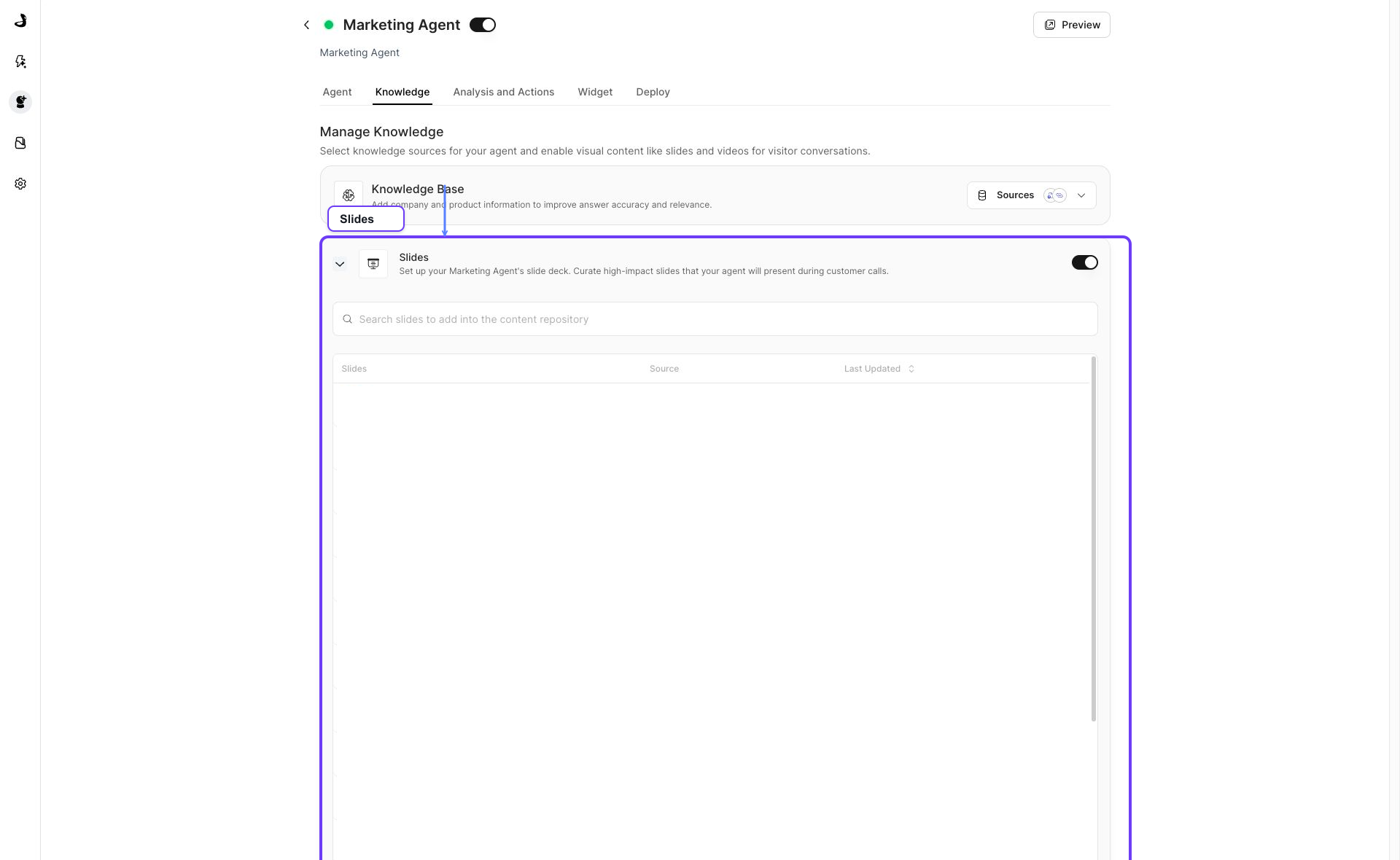
It has three sections: what the agent can answer from, the slides it can present, and the videos it can share.
How do I open the Knowledge tab?
- Open Marketing Agent Configuration.
- Select the agent you want to configure.
- Open the Knowledge tab.

What do the three sections on the Knowledge tab do?
Section | What it controls |
|---|---|
Knowledge Base | The company and product information the agent can answer from. |
Slides | The decks the agent can present during a conversation. |
Videos | The videos the agent can share during a conversation. |
Slides and Videos each open with the chevron on the left of their row, and each has a switch on the right that turns the section on or off for this agent.
How do I choose what the agent can answer from?
Click Customize Sources in the Knowledge Base row. The picker lists your workspace's source groups, such as WebApp Files for uploaded files and WebApp URLs for ingested web pages, along with any connected integrations.
Tick a whole group to give the agent everything in it, or open a group with its chevron to pick individual records, then Save. Click Apply to confirm your selection.
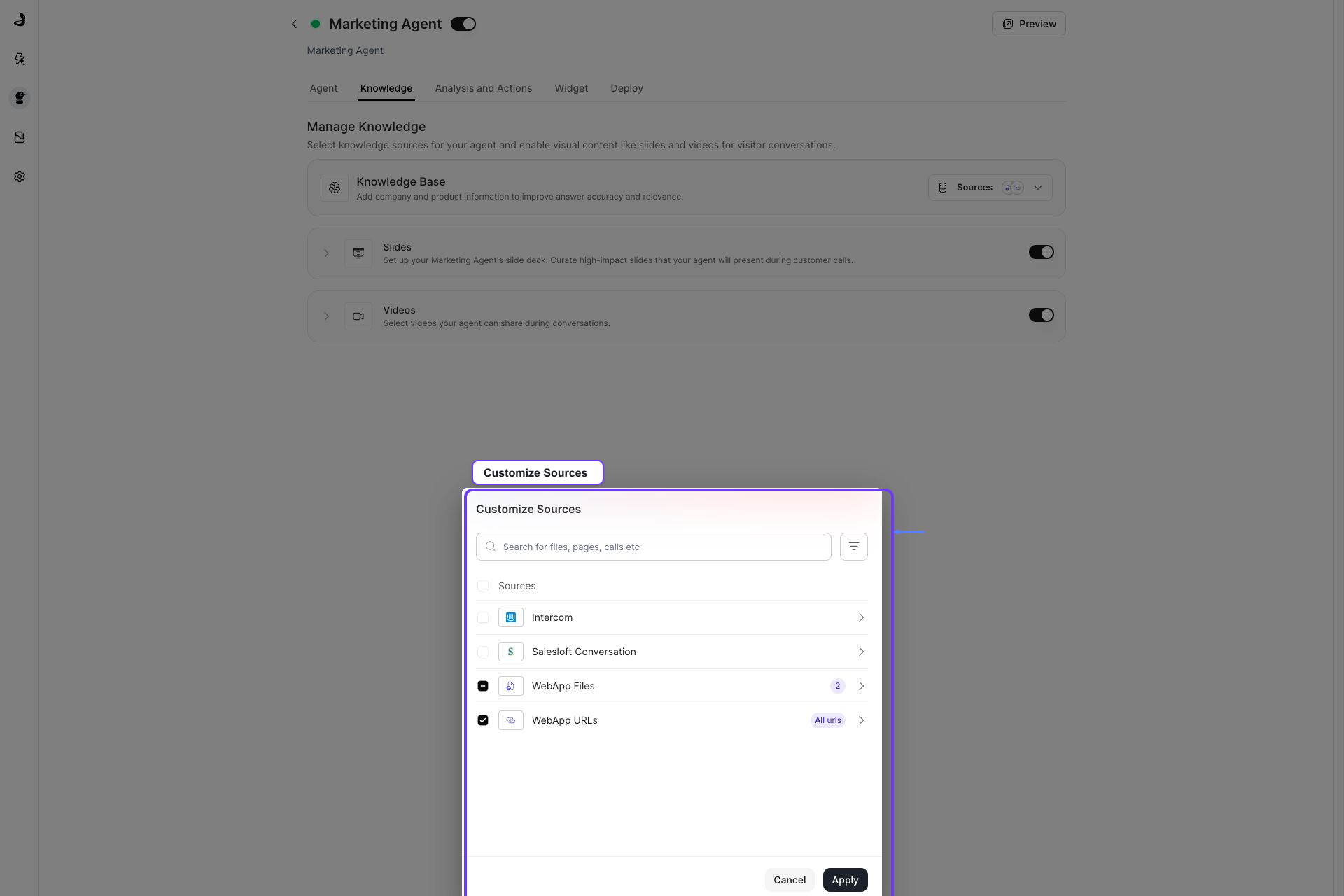
Choose sources that match the agent's job. A pricing-page agent usually needs pricing and packaging content; a technical agent usually needs security and implementation content. For a fuller walkthrough, see Selecting Knowledge Sources for an Agent.
Where does the content in these lists come from?
Everything you can select here already exists in your workspace library. You add content once in Knowledge Sources, then each agent selects from it. See Managing Global Knowledge Sources.
If a source you expect is missing from the picker, add or sync it in Knowledge Sources first.
How should I set up a new agent's knowledge?
- Select the agent's core knowledge sources under Customize Sources.
- Add slides when a deck genuinely helps explain the product.
- Add videos when watching is clearer than reading.
- Open Preview and ask the questions this agent exists to answer.
Keep each agent's knowledge focused on its job. Selecting every available source rarely improves answers, and it makes the agent harder to predict. Revisit the selection whenever the agent's purpose changes.
Frequently asked questions about the Docket Knowledge tab
Where is the Sources button? I only see Customize Sources.
They are the same control. The Knowledge Base row now shows Customize Sources, which opens the same picker that older agents opened from Sources.
Why can I not find my uploaded file in the picker?
The picker groups content by where it came from rather than listing every file at the top level. Uploaded files sit under WebApp Files and ingested web pages under WebApp URLs. Open the group with its chevron to see individual files.
Does the "Last synced date" in the picker tell me how fresh a source is?
No. That column shows when the source was first added to the workspace. To check how recently a source actually refreshed, open Knowledge Sources and read Last Updated there.
Do Slides and Videos need to be selected under Knowledge Base too?
No. Slides and Videos are independent lists. A deck can be presentable without being part of what the agent answers from, and the other way round. Add a file in both places if you want both behaviors.
Does the Internal or External setting on a file change what this agent can use?
No. For Marketing Agents, the Sharing setting makes no difference to what the agent can answer from, present, or share. It governs whether a file can be shared outside your organization through a shareable link.
Does the Knowledge tab look the same on every agent?
Yes. Knowledge Base, Slides, and Videos appear the same way regardless of which other tabs your agent has.