Setting Up Microsoft Teams Handoff Notifications
Last updated: September 29, 2026
Send Marketing Agent handoffs into Microsoft Teams so the team that answers them sees a conversation the moment a visitor needs a person.
Setting this up takes two things: the Microsoft Teams integration connected for your workspace, and the Docket app added to the channel you want alerts in. This page covers both.
What do you need before you start?
Permission to edit the agent in Marketing Agent Configuration.
The Teams channel your team actually watches.
Permission in Microsoft Teams to add an app to that channel, or a colleague who can.
Docket only lists channels that have the Docket app in them, which is what keeps it out of channels you have not chosen.
How do you connect Microsoft Teams to Docket?
In Microsoft Teams, add the Docket app to the channel that should receive handoffs.
In Docket, open Settings, then Integrations, and connect Microsoft Teams.
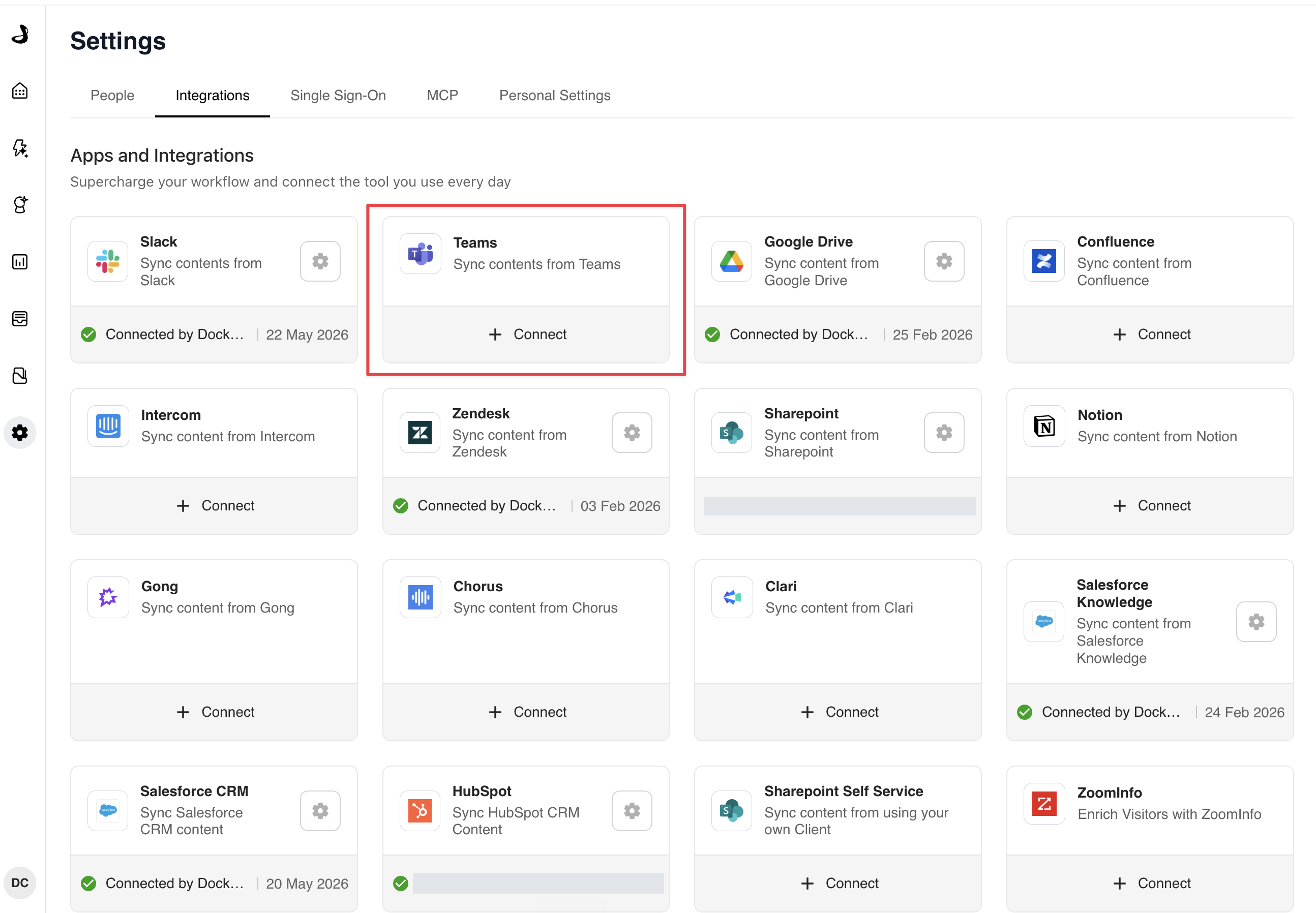
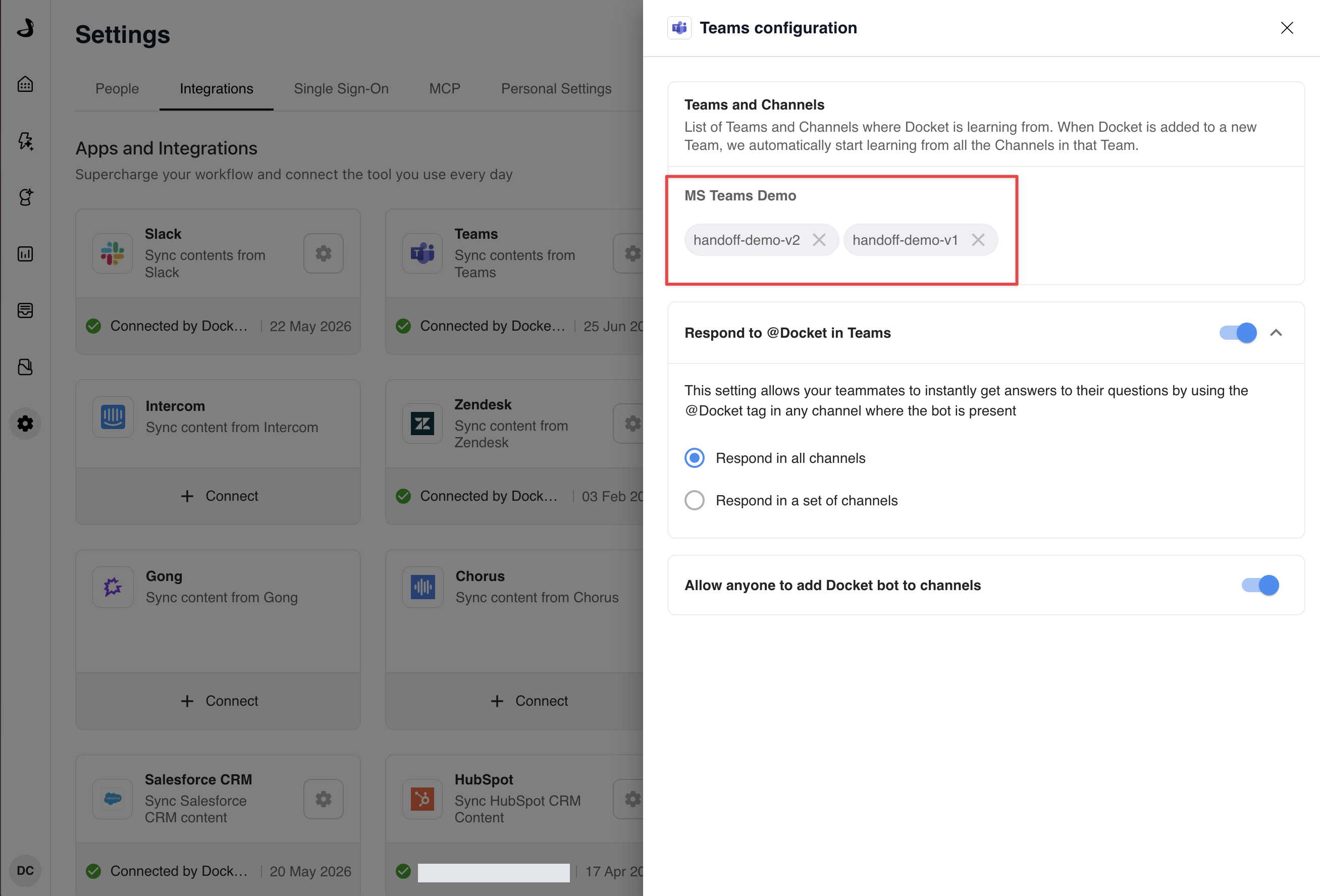
Once connected, the Integrations page shows Microsoft Teams as Connected. To check which team and channel the app landed in, select the gear icon and choose Settings.
How do you send Docket handoffs to Microsoft Teams?
Open Marketing Agent Configuration and select your agent.
Open the Agent tab, turn on the Agent-to-Human Handoff switch, then open the section.
In Instructions, describe the moments the agent should bring in a person.
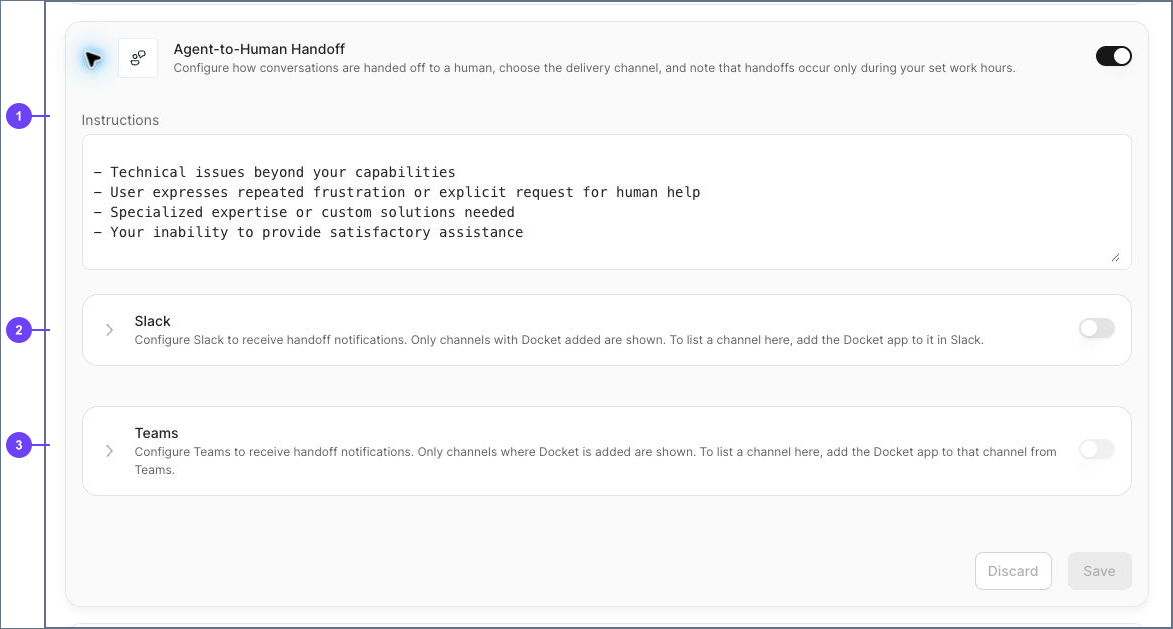
Expand Teams. If the integration is not connected yet, the panel shows Complete your Microsoft Teams integration to continue with a Go to Integrations Page link.
Turn on the Teams switch, then choose your channel from the list.
Select Save.
Why is my Teams channel missing from the list?
Because the Docket app has not been added to it yet. Add the app to that channel from Microsoft Teams, then reopen the handoff section and the channel appears.
What does a live Teams handoff look like?
When a conversation matches your criteria, the agent tells the visitor it is bringing in a person and posts the conversation into your Teams channel with the context so far. Your teammate joins from there and replies in real time, and the agent steps back in once the conversation ends.
Does Teams handoff need Work Hours?
No. Work Hours is optional, and Teams handoff works without it.
With Work Hours off, alerts can arrive at any time. With it on, alerts arrive during your schedule, and outside it the agent keeps handling the conversation itself rather than posting into a channel nobody is reading. Set it in Setting Up Work Hours and Availability.
How do you confirm Teams handoff is working?
Reload the Agent tab and reopen the handoff section to confirm Teams is on and your channel is still selected.
Select Preview and send a message that clearly matches one of your criteria.
Check that the alert lands in the Teams channel you chose.
Why isn't the Teams alert arriving?
What you see | What to check |
|---|---|
The Teams switch will not turn on | The workspace integration is not connected. Use Go to Integrations Page in that panel. |
Your channel is not listed | Add the Docket app to that channel from Teams, then reopen the section. |
No alert arrives | Confirm Teams is on, the channel is selected and saved, and that your test matches a saved criterion. |
You are not sure which channel is connected | On the Integrations page, select the gear icon next to Microsoft Teams and choose Settings. |
Alerts arrive in a channel you did not expect | Handoff is set per agent. Check the other agents running on your site. |
Frequently asked questions
Can I use Microsoft Teams and Slack together?
Yes. They are separate delivery options in the same section. See Setting Up Slack Handoff Notifications.
Does the Teams integration need an administrator?
Adding an app to a channel follows your organisation's Teams policy. If app installation is restricted, ask whoever manages Teams apps to add Docket to the channel.
Can one agent post to more than one Teams channel?
Each agent sends its handoffs to the channel you select for it. To split by topic or region, use separate agents with their own channels.
What does the Teams alert contain?
The alert carries the conversation context, so whoever picks it up can see what the visitor already asked without making them repeat it.