Understanding Docket Settings
Last updated: September 22, 2026
Settings is where you manage everything that applies to the whole Docket workspace: the people in it, the apps it connects to, how people sign in, and your own calendar.
Workspace settings sit apart from agent settings on purpose. What you change here affects every Marketing Agent in the workspace, while what you change on an agent affects only that agent. It is worth knowing which is which before you start changing things.
Open Settings from the gear icon at the bottom of the left icon rail.
What is on each Settings tab?
Settings holds six tabs. Five apply to the whole workspace, and the last one is yours alone.
Tab | What you use it for |
|---|---|
People | See who is in the workspace, what role each person has, how many seats are in use, and invite new teammates. |
GuardNote | Workspace controls for the GuardNote feature. |
Integrations | Connect the apps the workspace uses for knowledge, CRM, calendars, and notifications. |
Single Sign-On | Configure SAML single sign-on so people reach Docket through your identity provider. |
MCP | Copy the Docket Demand MCP server URL so an AI client can query your Docket data. |
Personal Settings | Connect your own calendar and Zoom account, and set your own work hours. |
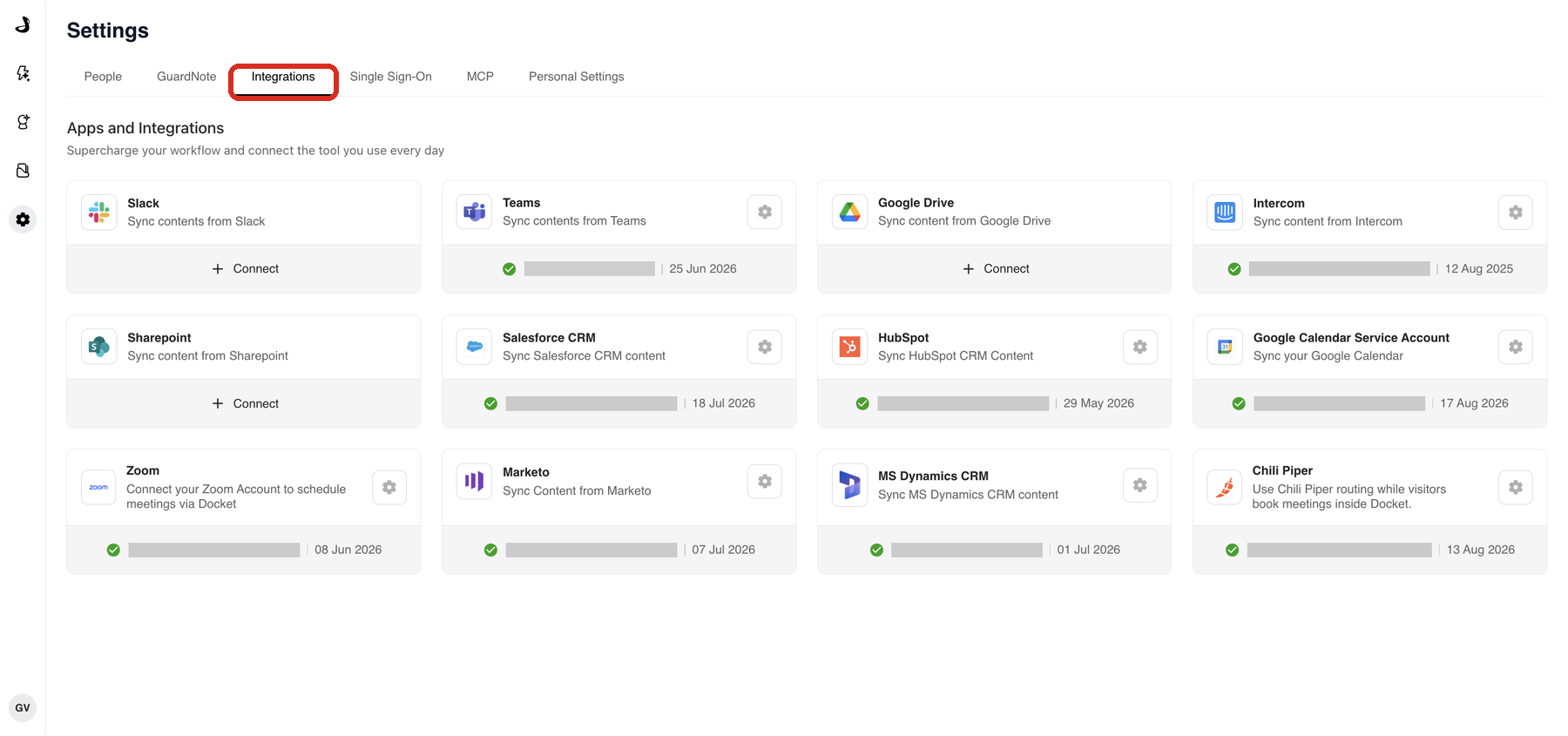
Which settings apply to the whole workspace and which are mine?
People, GuardNote, Integrations, Single Sign-On and MCP are workspace-wide. A change on those tabs affects everyone.
Personal Settings is yours alone. Your calendar connection, your Zoom account, and your work hours belong to you, and every teammate who hosts meetings sets up their own. This catches people out most often with calendars, because the workspace Google Calendar Service Account card and your personal Google Calendar card look similar and do different jobs.
Who can change workspace settings?
Anyone with the Admin role. Connecting an integration, inviting a teammate, changing a role and configuring single sign-on all need it.
Everyone can open Personal Settings and manage their own calendar, Zoom and work hours, whatever their role. See Managing People and Team Access for what each role covers.
Where do I manage knowledge sources?
Not in Settings. Knowledge sources have their own area in the left navigation, with tabs for Files, Web URLs and Other Integrations.
The split is worth remembering: you *connect* a source such as Google Drive or SharePoint on the Integrations tab in Settings, and you then *review and manage* what it brought in under Knowledge Sources. Managing Global Knowledge Sources covers that side.
Frequently asked questions
Where do I connect my own calendar?
In Settings then Personal Settings, under Integrations. Calendar and Zoom connections belong to individual people rather than the workspace.
Why can I not see the Single Sign-On tab?
Single sign-on is not enabled on every plan. If the tab is missing from your workspace, ask your Docket account team whether it is included in yours.
I changed a setting but my agent has not changed. Why?
Because most integrations have a second switch on the agent. Connecting an app in Settings makes it available to the workspace, and each agent still needs the matching action turned on. Apps and Integrations Overview explains the two stages.
Do I need to be an Admin to use Docket?
No. You need Admin only to change workspace settings. Other roles can build and run agents according to their permissions.