Troubleshooting Dynamic Context Not Reaching the Agent
Last updated: August 11, 2026
Use this guide when setContext() or ctx_ URL parameters appear to work, but the Marketing Agent does not use the expected visitor data.
Quick Checks
Confirm Dynamic Context Ingestion is enabled.
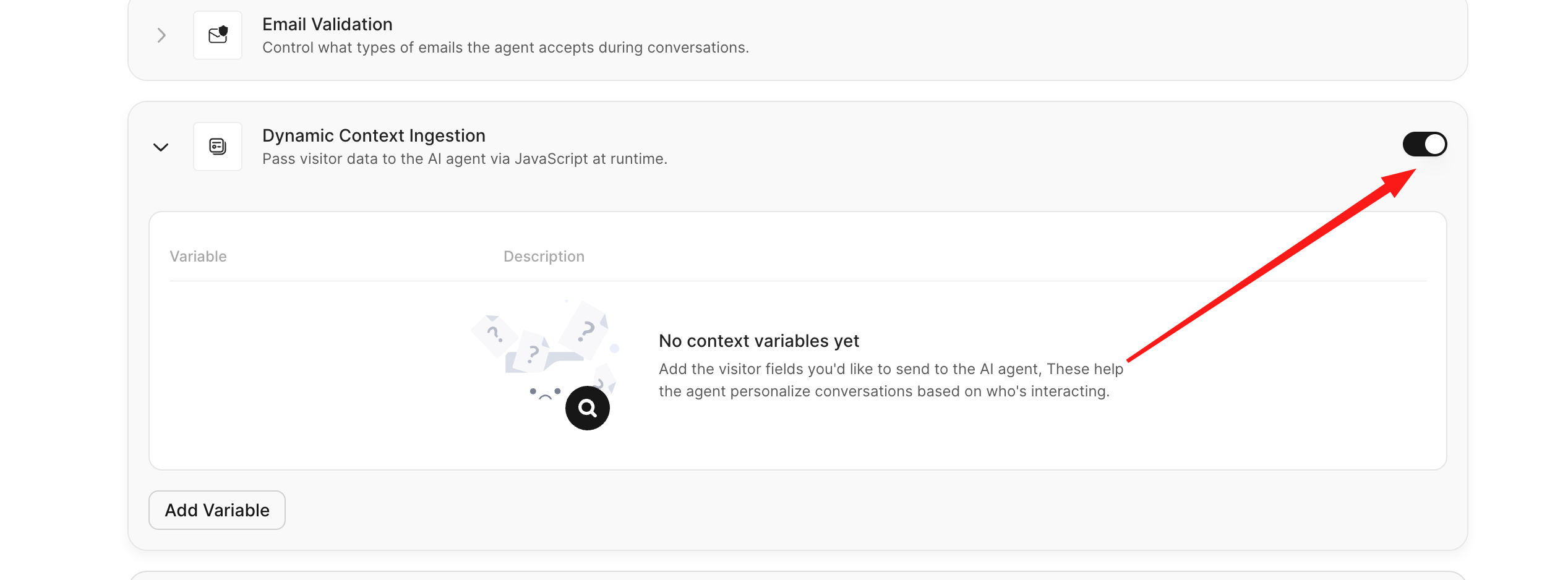
Confirm every key matches a configured variable name.
Set context before the conversation starts.
Inspect the
successandmessagevalues returned bysetContext().Confirm every value is a supported simple type.
Check the API Result
setContext() reports validation and encryption failures in its resolved result.
const result = await window.AISeller.setContext({
  name: "Jordan",
  company: "Northstar Labs"
});

console.log(result.success, result.message);
Do not treat the absence of a thrown exception as proof that context was stored. Continue only when result.success is true.
Check Timing
Context is attached when the conversation is created. Set it before showAndConnect() or before the visitor starts the conversation.
const result = await window.AISeller.setContext({ name: "Jordan" });

if (result.success) {
  window.AISeller.showAndConnect();
}
Context set after the conversation starts applies only to a later conversation.
Check Variable Names
Compare each JavaScript or URL key with the variable configured in Docket. Treat names as exact, including capitalization.
Configured variable | Submitted key | Result |
|---|---|---|
|
| Match |
|
| Mismatch |
|
| Mismatch |
For URL ingestion, remove the ctx_ prefix before comparing. For example, ctx_company_name maps to company_name.
Check Value Types
Supported values are strings, numbers, booleans, and null.
const result = await window.AISeller.setContext({
  name: "Jordan",
  employees: 500,
  isCustomer: true,
  renewalDate: null
});
Nested objects, arrays, files, functions, dates, and undefined values return success: false.
Check Script Readiness
In the browser console, verify that the required methods are available:
typeof window.AISeller?.setContext
typeof window.AISeller?.showAndConnect
Both checks should return "function". If they do not, confirm the Docket deploy script loaded successfully and is not blocked by a Content Security Policy, consent manager, ad blocker, or network rule.
Check for an Unintended Reset
resetContext() replaces pending visitor context with an empty object. Search your website code for reset calls that run after setContext() or during route changes.
await window.AISeller.setContext({ name: "Jordan" });
await window.AISeller.resetContext(); // The pending context is now empty.
Verify the Fix
Open the deployed experience in a private browser window.
Set documentation-only context and confirm
success: true.Start a new conversation.
Ask a question that should use one configured variable.
Confirm the agent uses the value according to the variable description.
Reset context and confirm a second conversation does not reuse the first visitor's values.
Symptom Reference
Symptom | Likely cause | Fix |
|---|---|---|
| Widget script is not ready or was blocked | Verify script loading and CSP/network behavior. |
| Invalid payload or encryption/configuration failure | Read |
Some fields work and others do not | Variable-name mismatch | Match keys exactly. |
Context works only on the next conversation | Context was set after the current conversation started | Set context before connecting. |
URL values are ignored | Missing | Rename query parameters to |
Previous visitor data appears | Context was not reset when identity changed | Call |