Troubleshooting Dynamic Context Not Reaching the Agent
Last updated: October 26, 2026
Use this page when your code runs without errors but the agent behaves as though it never received the visitor data. Dynamic context fails quietly by design: an unrecognised key is dropped without a console warning, so the usual signs of a bug are missing.
Work through the checks in order. The first three catch most cases.
What should you check first?
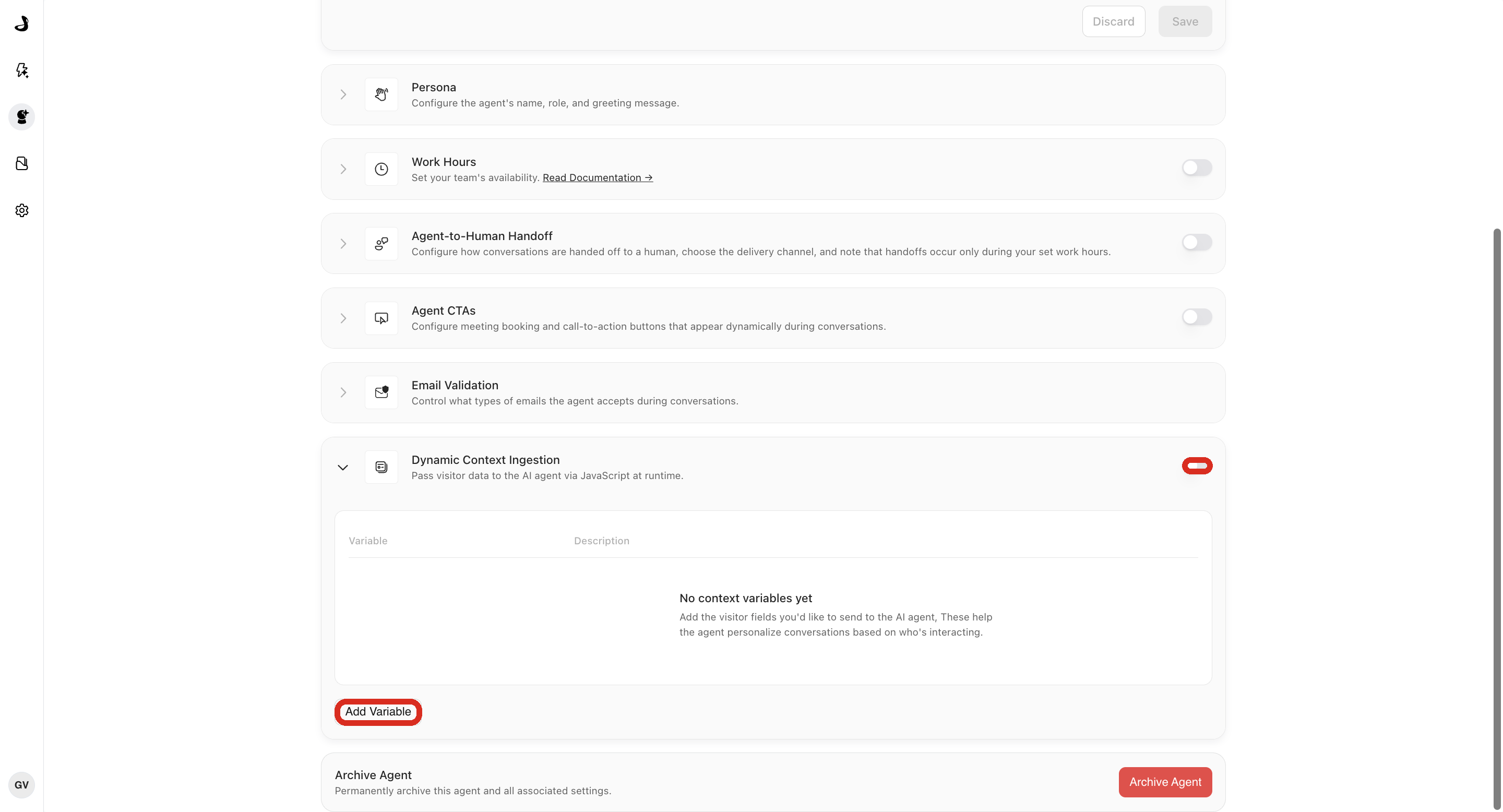
Confirm Dynamic Context Ingestion is turned on for the agent.
Confirm every key you send matches a configured variable name exactly.
Confirm the context is set before the conversation starts.
Read the
successandmessagevalues thatsetContext()returns.Confirm every value is a string, number, boolean, or
null.
What is setContext() actually telling you?
setContext() reports validation and encryption problems in the object it resolves to. It does not throw, so an absence of errors proves nothing.
const result = await window.AISeller.setContext({
  name: "Jordan",
  company: "Northstar Labs"
});

console.log(result.success, result.message);
These are the messages you will see:
Message | What it means |
|---|---|
| The payload was accepted and is waiting for the next conversation. |
| You passed |
| The named field holds an array, object, |
| Encryption or storage failed. Check for blocked browser storage or a private-mode restriction. |
|
|
Note that success: true only means Docket accepted and stored the payload. It does not mean every key matched a configured variable.
Why would some fields work and others be ignored?
This is almost always a name mismatch. Docket compares the key you send with the configured Variable Name exactly, including capitalization and underscores. There is no fuzzy matching and no warning when a key is dropped.
Configured variable | Key you send | Result |
|---|---|---|
|
| Match |
|
| Dropped |
|
| Dropped |
|
| Dropped |
For URL ingestion, strip the ctx_ prefix before comparing. ctx_company_name maps to the variable company_name.
Is the context arriving too late?
Context is attached when the conversation is created. Set it before showAndConnect(), and wait for it.
const result = await window.AISeller.setContext({ name: "Jordan" });

if (result.success) {
  window.AISeller.showAndConnect();
}
If the values only appear from the second conversation onward, this is the cause. See When Context Is Sent to the Agent.
Is the widget script actually ready?
Check in the browser console:
typeof window.AISeller?.setContext
typeof window.AISeller?.showAndConnect
Both should return "function". If either is "undefined", the Docket script has not finished loading or was blocked. Check for a Content Security Policy, consent manager, ad blocker, or network rule stopping it. Troubleshooting Widget Not Loading or Displaying covers this in depth.
Is something resetting the context first?
resetContext() replaces the pending payload with an empty object. Search your code for reset calls that run after setContext(), particularly in logout handlers and route-change effects.
await window.AISeller.setContext({ name: "Jordan" });
await window.AISeller.resetContext(); // The pending context is now empty.
Are you hitting a URL parameter limit?
This applies only to ctx_ parameters on a standalone or embedded agent page. Docket reads up to 50 parameters and 8,000 characters of values in total. When either limit is passed, it stops reading and drops every remaining parameter without an error.
If the first few values arrive and the rest do not, shorten the long ones and put the important parameters first. See Passing Context via URL Parameters to Marketing Agents.
How do you confirm the fix?
Open the deployed experience in a private browser window.
Set test context and confirm
success: true.Start a new conversation.
Ask a question that should use one configured variable.
Confirm the agent uses the value the way the variable description says.
Reset the context and confirm a second conversation does not reuse the first visitor's values.
Symptom reference
Symptom | Likely cause | Fix |
|---|---|---|
| Script not ready or blocked | Check script loading, CSP and consent tooling. |
| Invalid payload or storage failure | Read |
Some fields work, others do not | Variable name mismatch | Match keys exactly, including case. |
Works only on the next conversation | Context set after the conversation started | Set and await context before connecting. |
URL values ignored entirely | Missing | Use |
Later URL values ignored | 50 parameter or 8,000 character limit reached | Shorten values and order parameters by importance. |
Previous visitor's data appears | Context not reset on identity change | Call |
Agent has the data but the greeting ignores it | The opening message is generated separately | Confirm with a follow-up question rather than by the greeting. |
Frequently asked questions
Why is there no error when a key is dropped?
Docket validates the shape of the payload, not your key names. An unrecognised key is simply not used, so the call still reports success. Comparing your keys against the configured variables is the only reliable check.
Does success: true mean the agent got my data?
It means the payload was accepted and stored. Whether the agent uses a particular field still depends on that key matching a configured variable.
Does Docket handle camelCase automatically?
No. companyName and company_name are different keys. Pick one convention and use it in both places.
The agent knows my company but greets me as someone else's. What is happening?
Docket can also infer company details from other signals. If an inferred value looks wrong, pass the correct value explicitly as a configured variable and raise it with support so the source can be checked.
Everything looks right and it still does not work.
Capture result.success and result.message, the exact keys you send, the configured variable names, and whether the agent is embedded or standalone. That set of details is what support needs to reproduce it.